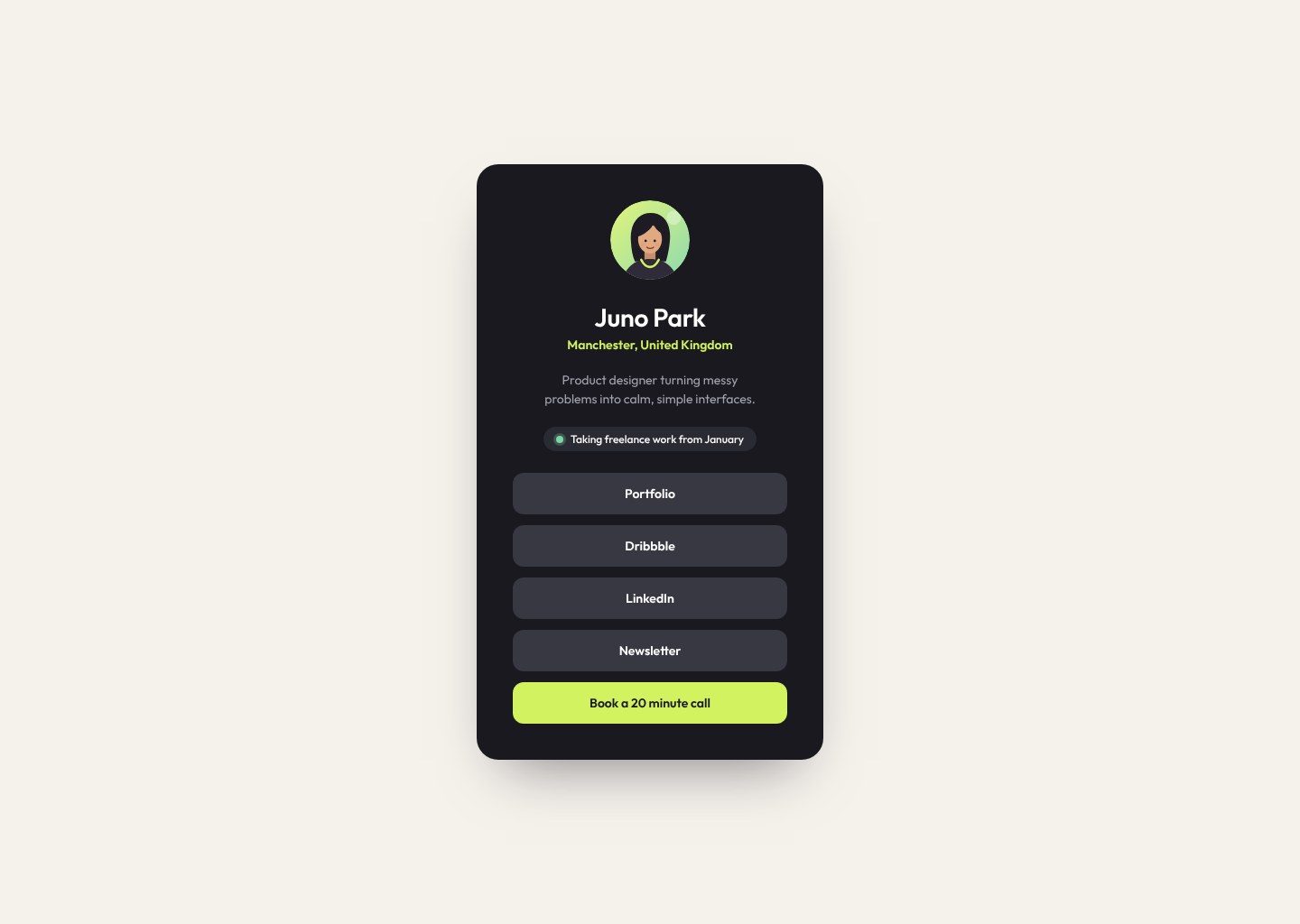
Link-in-bio profile card
Build a link-in-bio card for a freelance designer. Your first taste of hover states, and the kind of page every creator on Instagram needs.
The starter files include the designs, assets and everything you need to build the project. There's also a README to help you get started.
The design file for this challenge is part of Pro.
Our solution code is part of Pro.
Brief
Your challenge is to build this link-in-bio card and get it as close to the design as you can.
Juno is a freelance product designer. She wants one simple page she can put in her Instagram and TikTok bio, so people can find her work and book a call.
What to build
- A dark card in the centre of the page with her photo, name, location and short bio
- A small "taking freelance work" status with a green dot
- Five links stacked as buttons. The last one, Book a 20 minute call, is the main action and stands out.
- Every link changes colour when you hover over it or reach it with the keyboard
You're done when
- It matches the design at mobile and desktop sizes
- The card never touches the edges of a small phone screen
- Every link has a hover state and a visible focus state
- The links are a real list inside a
<nav> - It's live on a public link
Bonus
- Add a subtle lift or scale on hover, and turn it off for people who prefer reduced motion
- Add icons to each link using inline SVG
Download the starter and read the README.md first. The style-guide.md has the colours, fonts and sizes.
Want some support? Join the community and ask in the #help channel.
Assets provided
- Design file (Pro)
- Designs for each screen size (JPG)
- Style guide with colours, fonts and spacing
- README to help you get started
- HTML file with the content already written
- AGENTS.md so your AI assistant mentors you instead of doing it for you
Ideas to test yourself
- Make every link reachable and clearly focused with the Tab key
- Build the hover and focus states so they feel instant and smooth